Posteo IMAP in KDE (missing inbox)
2026-05-25
tl;dr Settings -> Configure KMail -> Accounts -> Receiving -> [Your account] -> Modify -> Advanced tab. Click "Serverside subscriptions..." button, ensure INBOX is checked.
I set up a shiny new Posteo account in KMail and was a little confused when I saw all the expected folders in the list except for the inbox, which I thought was an odd omission by default. Interestingly, this seems to be specific to KMail - FairEmail on my phone managed it just fine (however, I've noticed this app is particularly robust and almost always works as expected).
The fix? Add the server-side subscription.
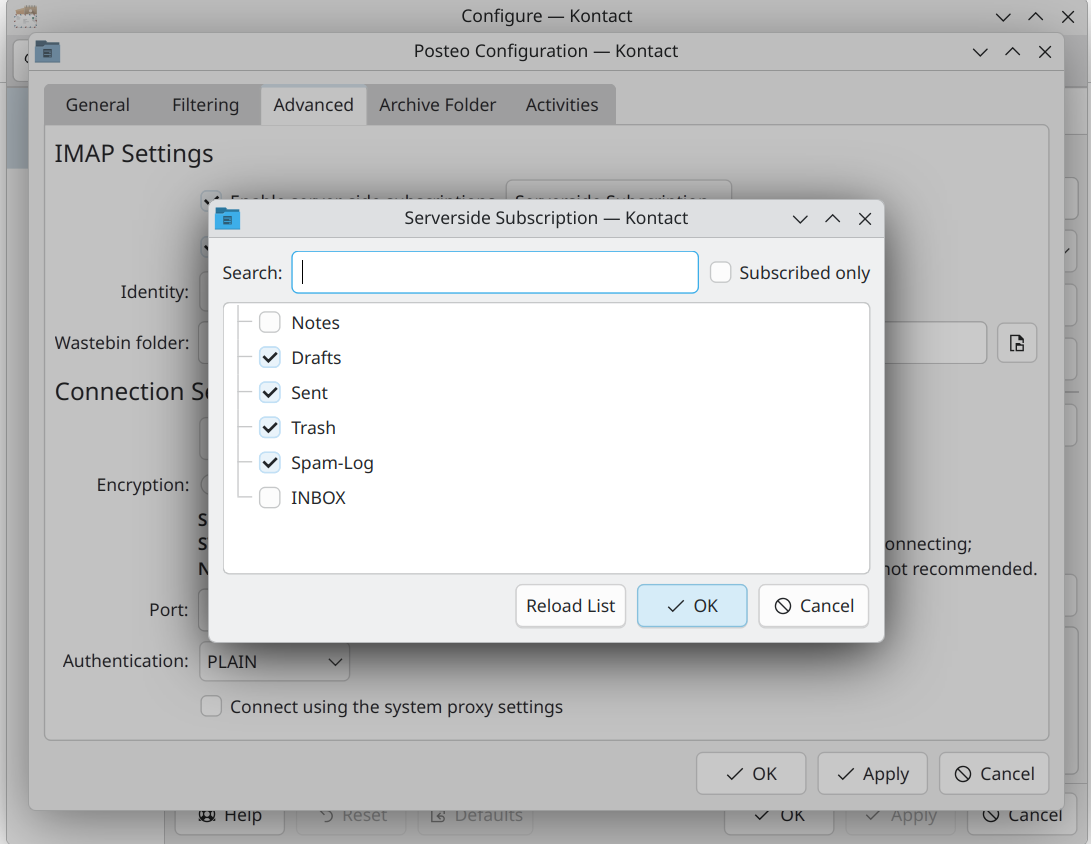
Open up KMail settings, and head to Accounts -> Receiving -> [Your account] -> Modify -> Advanced tab, then click the "Serverside subscriptions..." button. In the window that appears, ensure "INBOX" is checked and hit OK. The next fetch should now show your inbox.