Firefox sidebar tabs - left-align close buttons
It’s userChrome.css, natch.
On my laptop, I use a sidebar for tabs to give a bit more vertical space. Similarly, I don’t want to waste the horizontal space most of the time, so the sidebar is set to auto-hide. The problem with this is that the close button is still on the right-hand side of the tab, so to close a tab, you have to hover, wait for sidebar to display, then find the close button somewhere to the right of where you originally hovered.
OK so it’s not a massive problem, but they’re the most fun to solve.
So let’s start at the end. Without hovering the tabs, we have this.
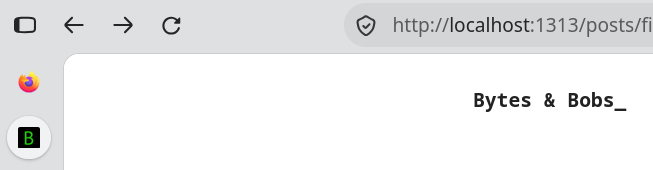
And when we hover it.
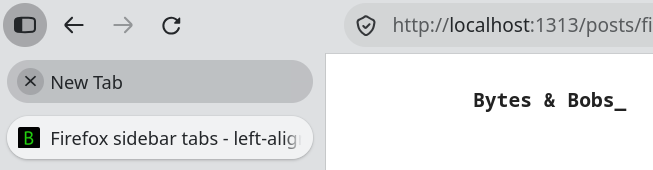
So, how do you do it?
- Go to about:config and set
toolkit.legacyUserProfileCustomizations.stylesheetsto true - Go to about:support and click “Open Directory” under “Profile Directory”
- In that directory, create
chrome/userChrome.cssand add the below CSS - Save, then restart Firefox
/* --- Close button overlays favicon on hover (vertical tabs) --- */
#tabbrowser-arrowscrollbox[orient="vertical"] .tabbrowser-tab {
  position: relative !important;
}

/* absolutely position the close button over the favicon */
#tabbrowser-arrowscrollbox[orient="vertical"] .tabbrowser-tab .tab-close-button {
  position: absolute !important;
  left: 16px !important;      /* this one might need tweaking */
  top: 50% !important;
  translate: 0 -50% !important;
  z-index: 2 !important;
}

/* only show it on hover, so it doesn't sit on the selected tab's icon */
#tabbrowser-arrowscrollbox[orient="vertical"] .tabbrowser-tab:not(:hover) .tab-close-button {
  display: none !important;
}

/* hide the favicon only while the close button is showing */
#tabbrowser-arrowscrollbox[orient="vertical"] .tabbrowser-tab:hover .tab-icon-stack {
  visibility: hidden !important;
}